
Home >> (Table of Contents) Trading >> Sierra Chart Direct Exchange Order Routing and Risk Management
Sierra Chart Direct Exchange Order Routing and Risk Management
- Overview
- Features
- Quantity Calculations For Risk Management
- Screenshots of Trade Account Management Interfaces
- Identified Risks with Order Routing and Security Features
- Costs
- Technical Explanation
- Easy to Get Started With | Built-in Risk Management with Automatic Integration
Overview
Sierra Chart has developed software and a service, for routing orders to the CME, CBOT, NYMEX, COMEX exchanges. This service supports the creation and management of individual trading accounts. This service supports full risk management functionality.
Sierra Chart is a full trading platform supporting charting and trading functionality.
We have handled order routing to exchanges through a centralized server model since approximately 2015 and we have extensive experience with this. Including the management of server-side OCO and bracket orders in a server environment during this entire time. The management of server-side OCO and bracket orders has been handled flawlessly, with a perfect track record all of this time.
This service is based upon the existing Sierra Chart Order Routing Service.
This new version of the service now supports direct order routing to the CME Group of exchanges and does not use any intermediary service provider. It offers direct routing to the CME Group of exchanges.
Sierra Chart has been in business, since 1996 developing high quality software. We have a professional development team. Other than the original founder who is involved with development every day, our core development team has been in place since 2005.
It supports the following features:
Features
- Direct connectivity to CME Convenience Gateway for order routing.
- There are 3 sets of physical connections located in the CME Aurora data center in Aurora Illinois. Each physical connection set has A and B connections to the CME for redundancy. There is automatic failover to the A or B connection if one of them goes down. This is all fully automatic.
- The connectivity and hosting provider is Nirvana.
- Full redundancy with 3 physical servers in the CME data center with redundant power. Three different Internet service providers are used. So there is triple redundancy with Internet connectivity. If any ISP is down, external trader connections will be routed over the other available ISPs. This all happens automatically as connectivity issues arise.
- Low latency order routing to the exchange. Below 350 µs (microseconds) including pretrade risk checks.
- CME certified for iLink 3 order routing.
- CME certified for Audit Trail. ("On March 26, 2021 Application System AT_Sierra - 2207 successfully completed TestSuite Audit Trail, part one of the audit trail certification, for the functionalities listed in the Certification Interview and passed CME AutoCert+ Certification.")
- CME compliant audit trail functionality.
- Position tracking
- Account balance tracking.
- Set order quantity limits per symbol/product.
- Set position quantity limits per symbol/product.
- Set position quantity limit globally (multiple symbols).
- Require sufficient margin for new orders and order modifications. Adjustable percentage. Margin values comes from exchange. The required margin value is compared to the net liquidating value of the trading account. Net liquidating value is calculated in real time every 500 ms or twice a second.
- Capability to specify different margin requirement for day trade positions. There is a programmable time range for what is considered the daytrading time range.
- If a position limit is not set, then the order will be rejected.
- Ability to modify account balances and insert order fills to correct positions.
- Support for importing an account balance file, to synchronize user account balances, with the clearing firm back office.
- Support for importing a positions file from the clearing firm back office to flag differences, between the clearing firm positions for the trade accounts, as compared to the positions being maintained by the order routing service. Differences, generate alert email messages. The differences can be resolved by inserting a manual order fill. Standard exchange symbols can be used in this file.
- Uses standard exchange symbology. Years are expanded to two digit years from single-digit years.
- Supports self match prevention identifier.
- Supports the trading of outright futures and spreads. Option trading is not supported at this time but can be added on request.
- Trader cannot trade products, which do not have position limits set or are unknown to the system. For example, options cannot be traded for this reason. Spreads cannot be traded unless the specific spread is set up in the system. Any product which is not specifically set up in the system, cannot be traded.
- Trader cannot submit an order, for a particular futures contract product beyond its last trading date as specified by the exchange.
- Real-time open profit/loss calculation and net liquidating value. These fields are continuously updated every 500 ms and visible in the Trade >> Trade Accounts Monitor within Sierra Chart.
- Visual and audible alerts when user is under margin, daily loss has been reached, or below minimum balance requirement. Email alert messages can also be configured and generated in these cases.
- Set daily net loss limit based on absolute value or percentage of account balance. When met, only a position can be liquidated. No new orders allowed. Or enable automatic liquidation of all Positions in the trading account (automatic liquidation).
- Set risk management settings per user account or globally.
- Set margin requirement globally and override per user settings.
- Full account management and risk management GUI and programmatic interfaces. Accessible only by authorized specified users only. Optional IP address restrictions. When using IP address restrictions, an administrator can only make changes to a trading account, such as changing a position limit, from an allowed IP address. This provides a very high degree of security and integrity.
- Full audit log, of all changes to settings to trading accounts, by clearing firm risk management team.
- Ability to globally disable trading for all users.
- Can set a limit on the number of new order submissions, order modifications, and cancellations, within a 10 second timeframe.
- All functionality, can be verified in Sierra Chart's trade simulation environment, which is the exact same code base and software as used by live order routing except orders are internally simulated. Position limit functionality can be easily verified.
- If there is any failure with maintaining the correct position quantity for a trade account, after an order fill received from the exchange, an alert message is automatically generated. This monitoring ensures that position limits will be properly enforced.
- Order routing and risk management, operates as a single perfectly reliable unified process with real-time mirroring of all data, to another server in another data center.
This program, which is Sierra Chart itself, has proven to be 100% stable, operating in a server environment. We simply do not experience any crashes in our server environment. And we mean the crash rate is at 0%. Crashes simply do not occur. We have a 100% perfect track record with stability of our order routing process, going on since 2015. - Since the order routing and risk management is a single process, with full synchronization, it is never possible for there to be any type of condition or race condition where the order submission rate from a trader, could ever exceed the evaluation of the maximum potential position quantity which is very necessary for the position limit and margin calculations.
For every order submission, order modification, order cancellation, order fill, order modification completion or reject, order cancellation completion or reject, and new order rejection, the maximum potential position quantity is fully recalculated from orders and the current position. Therefore, it is guaranteed to be accurate every time. The margin requirement is also recalculated at these times as well. In other words, the Position Limit functionality and margin calculation functionality will always function correctly. - Failsafe design. An order cannot be submitted, without specifying a position limit which is always inputted and verified to be a positive value and applies equally to long and short positions. The position limits also consider working order quantities as well.
Since position limits, rely upon position tracking, if there is a failure with the updating of the position quantity for a product the user is trading, from an execution received from the exchange, an alert is generated to Sierra Chart support.
If the clearing firm control account, which controls global overrides (margin percentage and various other settings), is not present, or were to become deleted, all order entry is blocked. - If an order failed to pass the position limit check or the required margin calculation, it will be rejected before getting sent to the exchange. There is a secondary check for this.
- Single Flatten button to flatten all positions for a trade account with a single operation directly from the Sierra Chart risk management interface within the Sierra Chart desktop trading program.
- All core and low level functionality has been established, proven and is in active use. Functionality can be verified in Sierra Chart's trade simulation environment. Sierra Chart has been in business since 1996. Sierra Chart has established itself as a trusted trading platform.
- 24 hour support available by telephone. This is backed up, by Sierra Chart engineers and trained support people to assist clearing firms with any questions or to resolve any issues.
- Since the beginning of 2019, Sierra Chart has a track record of routing orders to the CME and EUREX over TT with high reliability and stability on the Sierra Chart side.
- There has never been a failure with tracking of Position reporting or processing of order fills by Sierra Chart in the case where these order fills are received from a FIX order routing connection in a standardized manner.
- Sierra Chart has 15+ years experience of providing real-time and historical market data. Sierra Chart has the highest performance historical data delivery system there is in the industry. Sierra Chart is a direct vendor of CME, EUREX, CFE and NASDAQ market data. We have a very highly reliable and efficient market data distribution infrastructure which proves itself, day after day to be very stable and reliable and efficient.
- Real-time mirroring of all trading related data from the order routing process to another server. Automatic failover to that server in the event of a server failure.
Quantity Calculations For Risk Management
How the quantity of the existing Position for a particular Trade Account and Symbol and the quantities of working orders are calculated to ensure a preset Position Limit is not exceeded by the trader is explained here. In the code below, this variable is named MaximumPotentialPositionQuantity. When this variable exceeds the Position Limit, then the order is rejected or an order modification increase is rejected.
First the total quantity of all buy working orders (including market orders) is calculated. This is AllWorkingBuyOrdersQuantity. And the quantity of all sell working orders (including market orders) is calculated. This is AllWorkingSellOrdersQuantity.
In the case of where two orders are in an OCO group and these are Attached Orders, then the quantity of only one of them is used, and it is the larger of the two. Since one order will cancel the other.
In the case of where two orders are in an OCO group and these orders are not Attached Orders, have no parent order and therefore there may not be an associated Position for them, the quantity of both of these orders is used in the quantity calculation. Therefore, the margin for the total quantity of both of them will be required.
MaximumPotentialLongPositionQuantity = AllWorkingBuyOrdersQuantity.

MaximumPotentialShortPositionQuantity = AllWorkingSellOrdersQuantity.

if (CurrentPositionQuantity.IsPositive())
{
    MaximumPotentialLongPositionQuantity += CurrentPositionQuantity;

    MaximumPotentialShortPositionQuantity += std::min(CurrentPositionQuantity, MaximumPotentialShortPositionQuantity.GetAbs());
}
else if (CurrentPositionQuantity.IsNegative())
{
    MaximumPotentialShortPositionQuantity += CurrentPositionQuantity;

    MaximumPotentialLongPositionQuantity -= std::min(CurrentPositionQuantity.GetAbs(), MaximumPotentialLongPositionQuantity);

}

// MaximumPotentialPositionQuantity will always be positive
MaximumPotentialPositionQuantity = std::max(MaximumPotentialLongPositionQuantity.GetAbs()
, MaximumPotentialShortPositionQuantity.GetAbs());

if (.MaximumPotentialPositionQuantity < CurrentPositionQuantity.GetAbs())
{
    MaximumPotentialPositionQuantity = CurrentPositionQuantity.GetAbs();
}

_ASSERT(MaximumPotentialPositionQuantity >= CurrentPositionQuantity.GetAbs());

_ASSERT(MaximumPotentialPositionQuantity.IsPositiveOrZero());
Additional information:
Modifying the price of an existing order or reducing the quantity of existing order, are always allowed to pass the margin check even if the trader is under margin. The position limit check is still always enforced, but will allow these changes because there is no increase in quantity.
During order submission, MaximumPotentialPositionQuantity is also calculated without considering the new submitted order. This is called MaximumPotentialPositionQuantityWithoutNewOrder.
If MaximumPotentialPositionQuantity is not larger than MaximumPotentialPositionQuantityWithoutNewOrder, the order type is a market or limit order type, the side of the order is opposite the current position quantity (it is reducing the quantity of the position), the quantity of this order does not exceed the current Position quantity, considering the current Position quantity and other working orders and pending cancel orders, the Position will not reverse, then this order is allowed to pass the margin check because there is not an increase in risk with this new order.
There still is a recalculation of the required margin in this case. The Position Limit check still always applies.
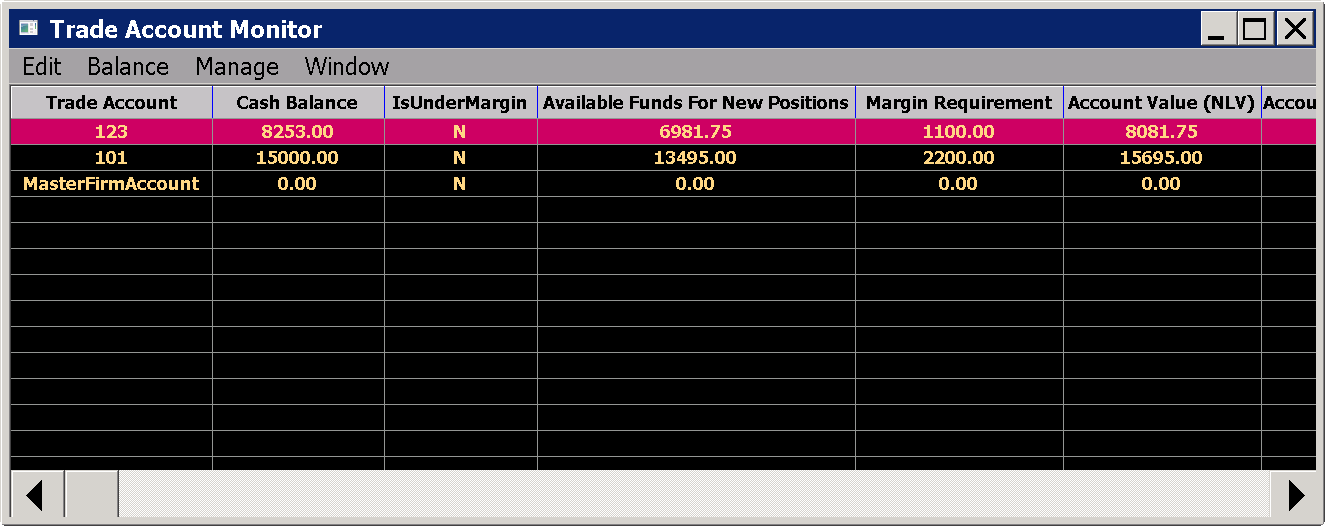
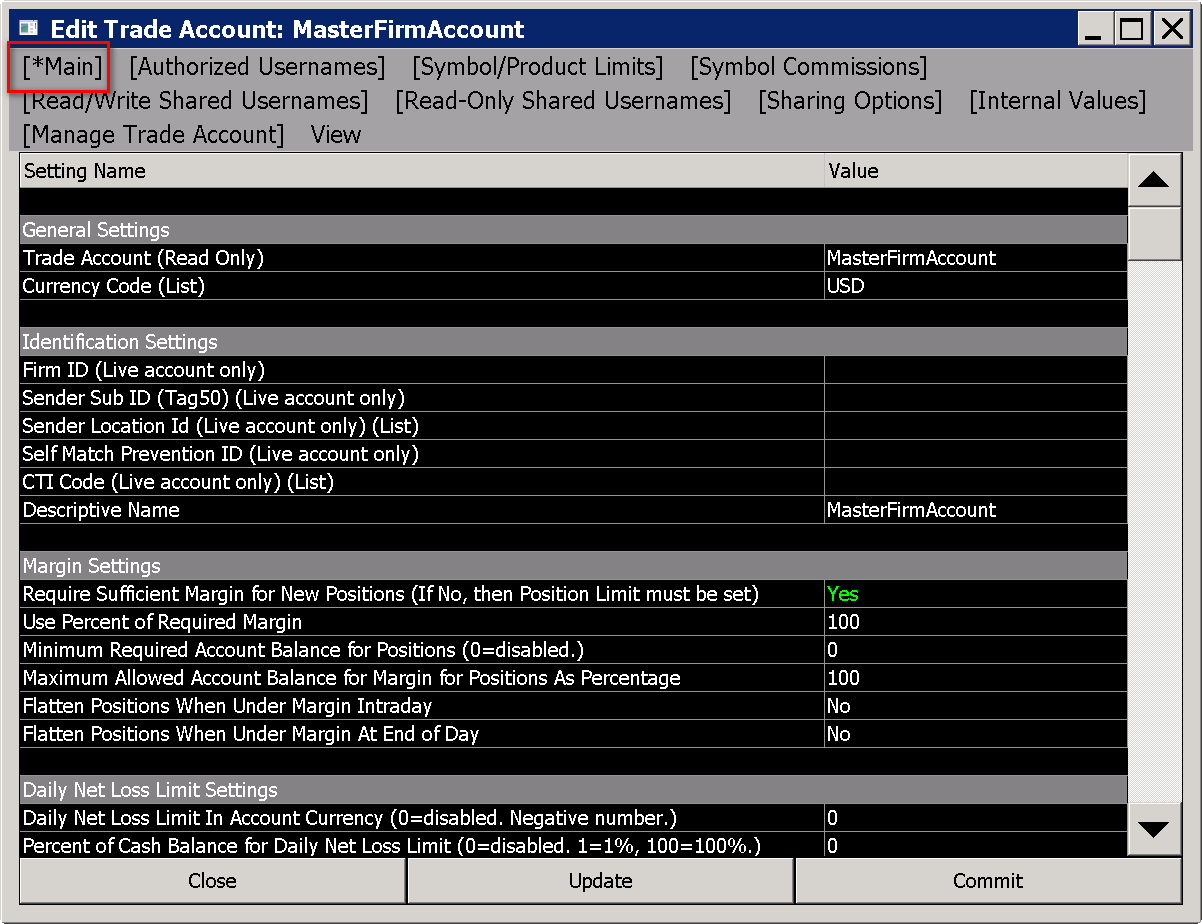
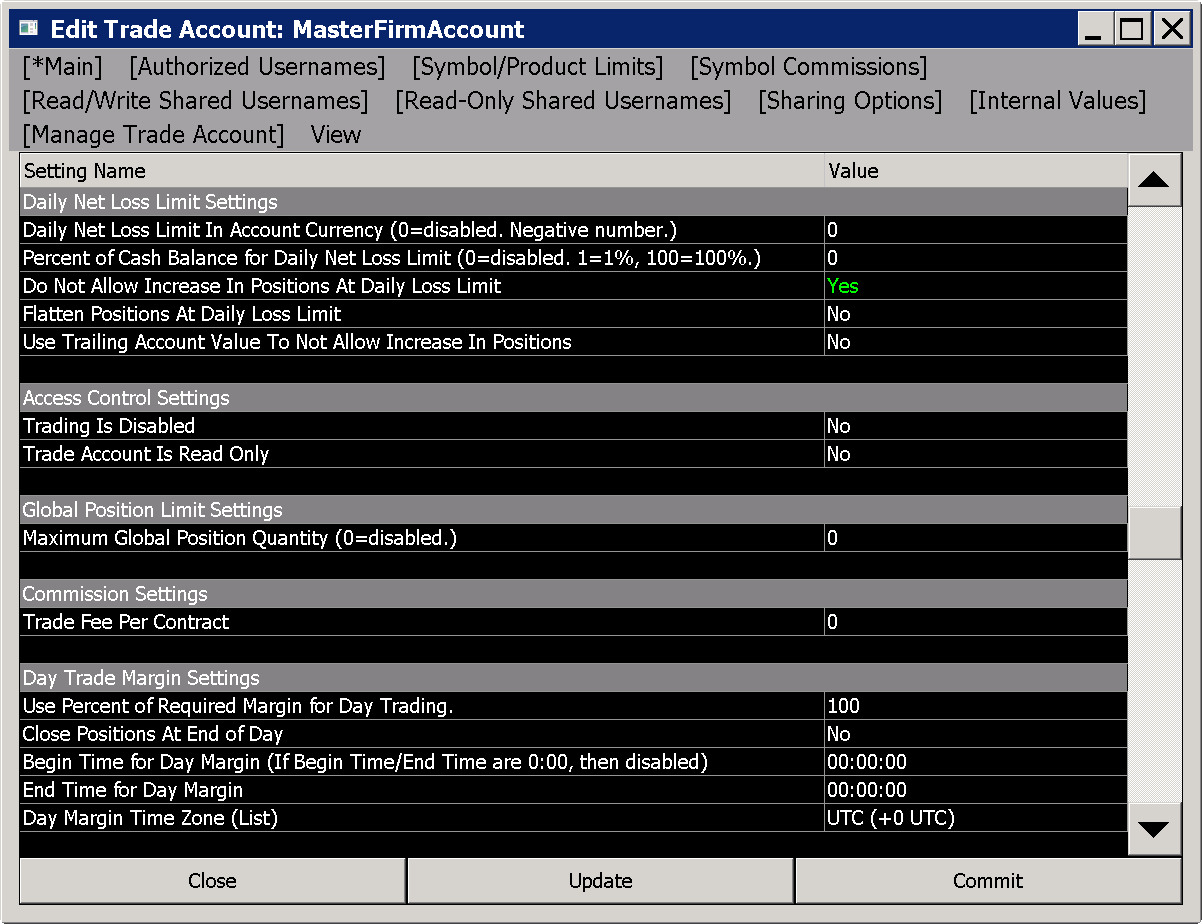
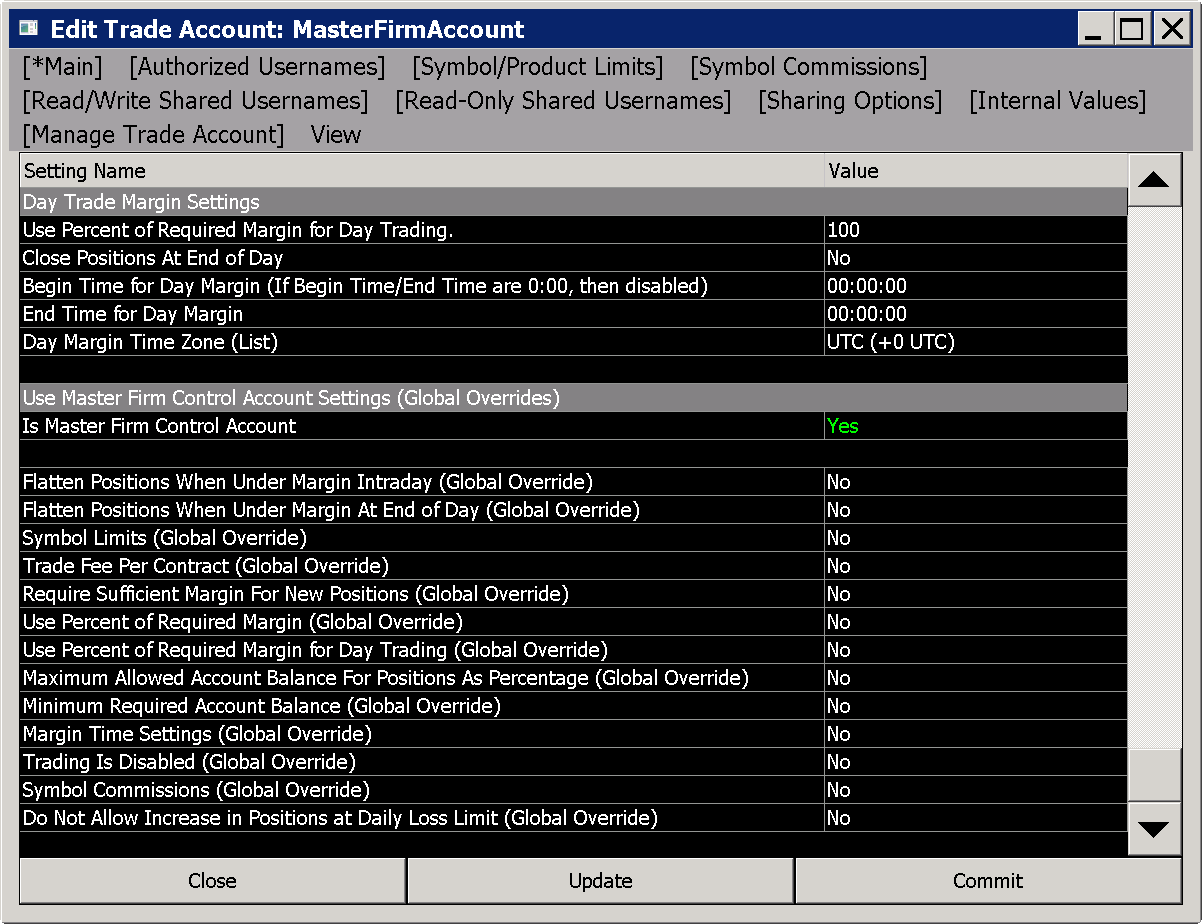
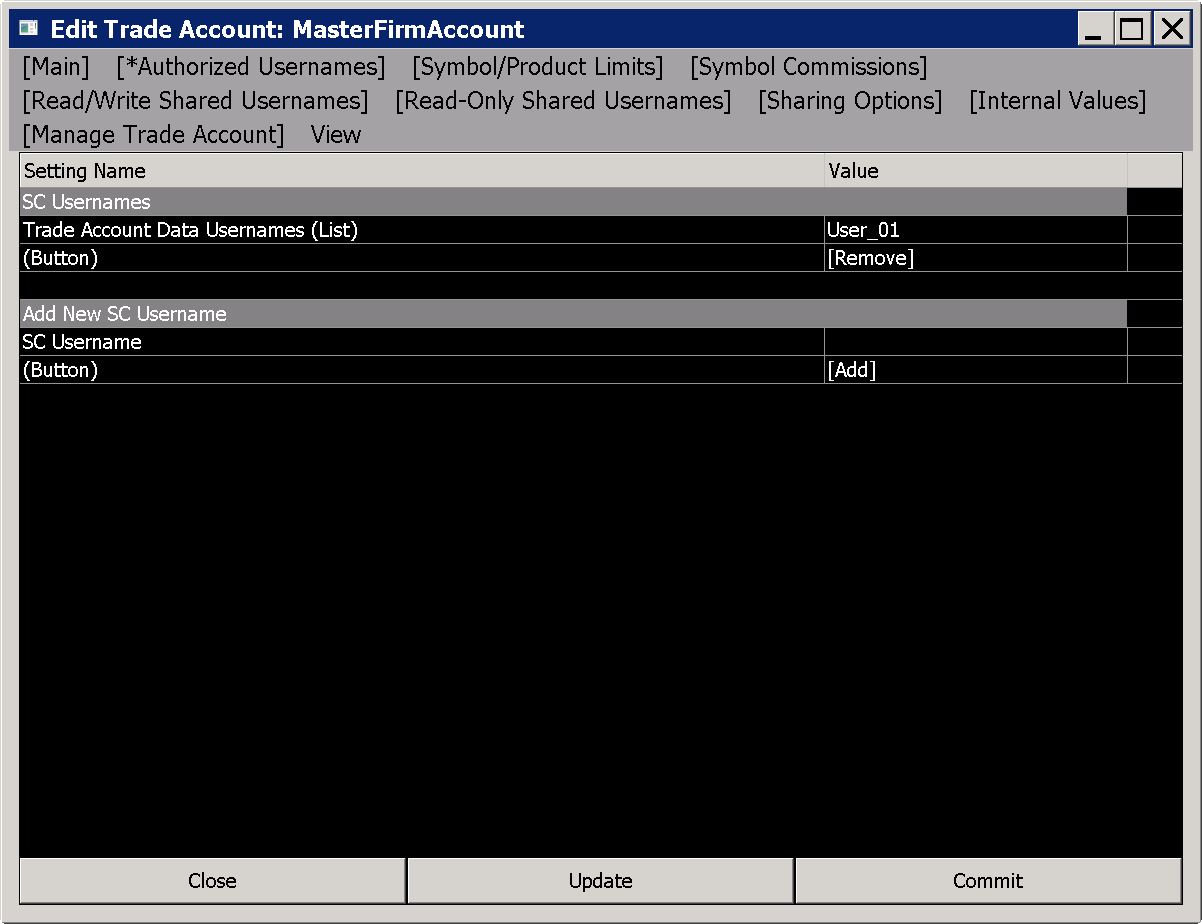
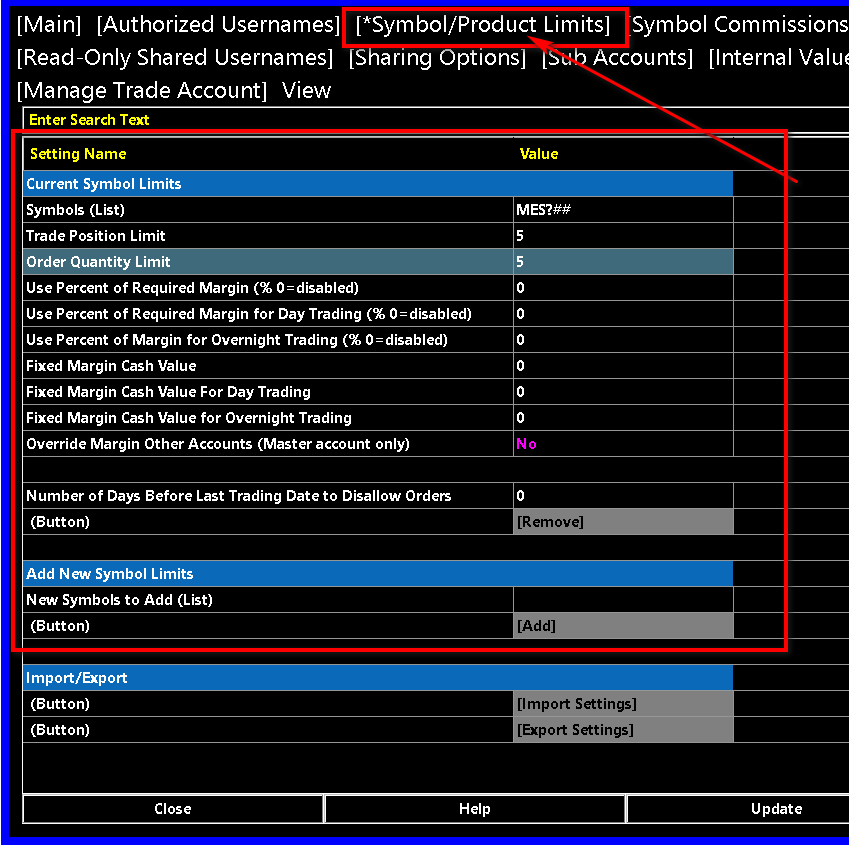
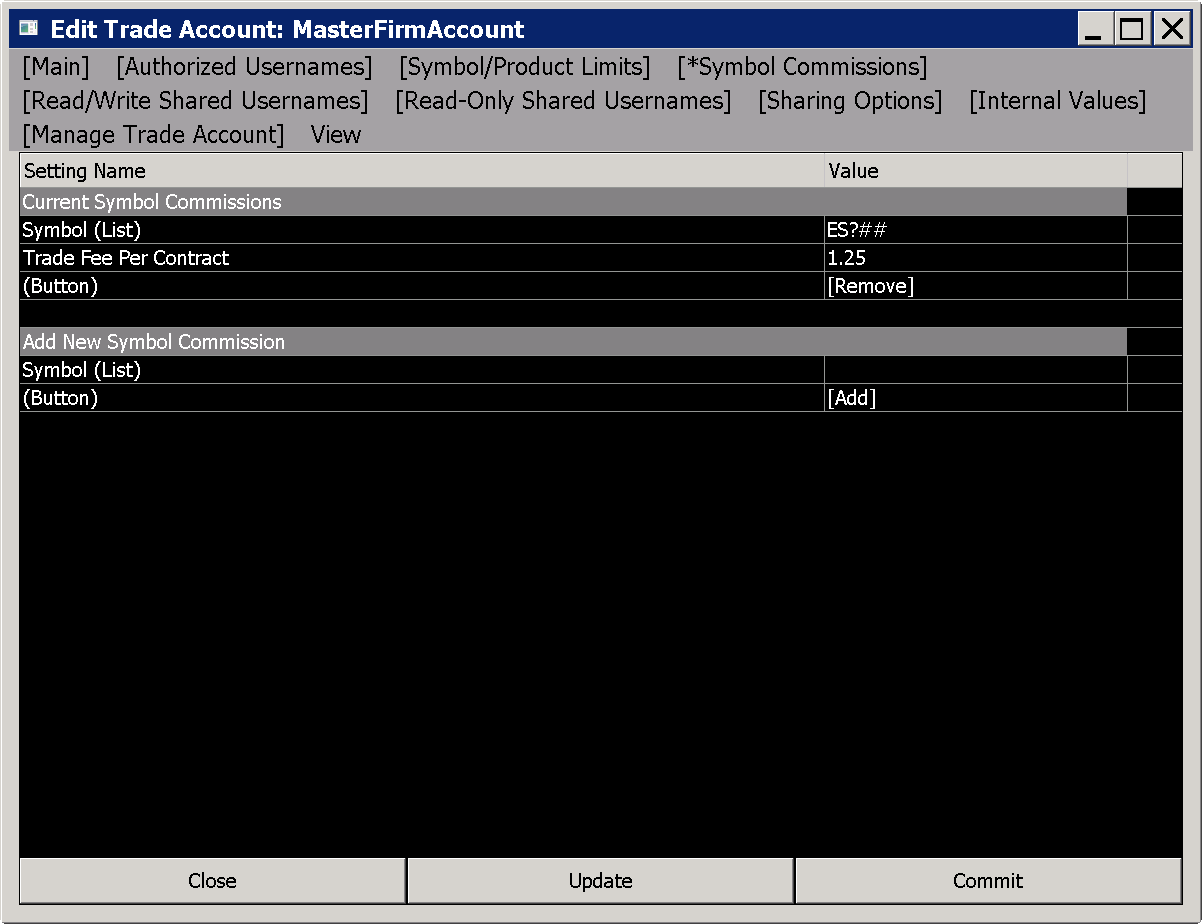
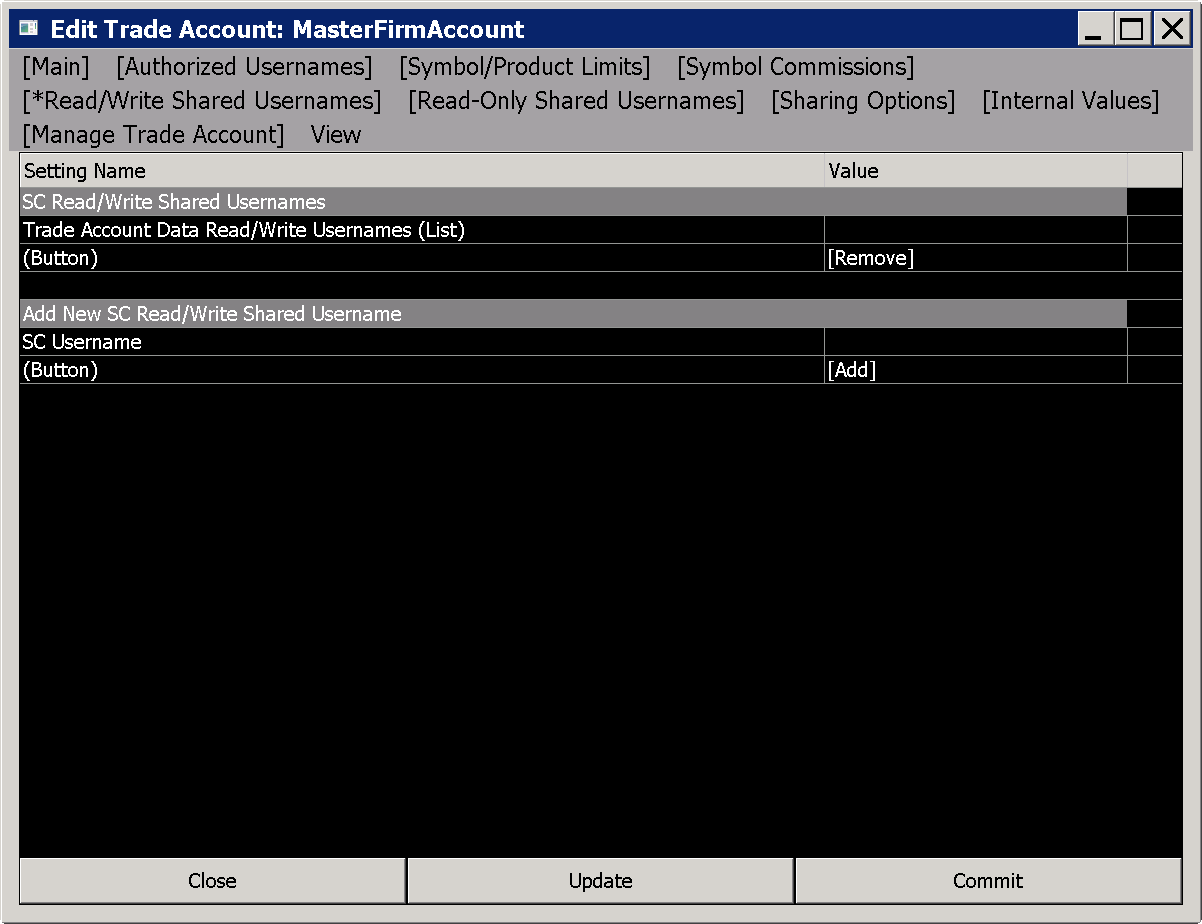
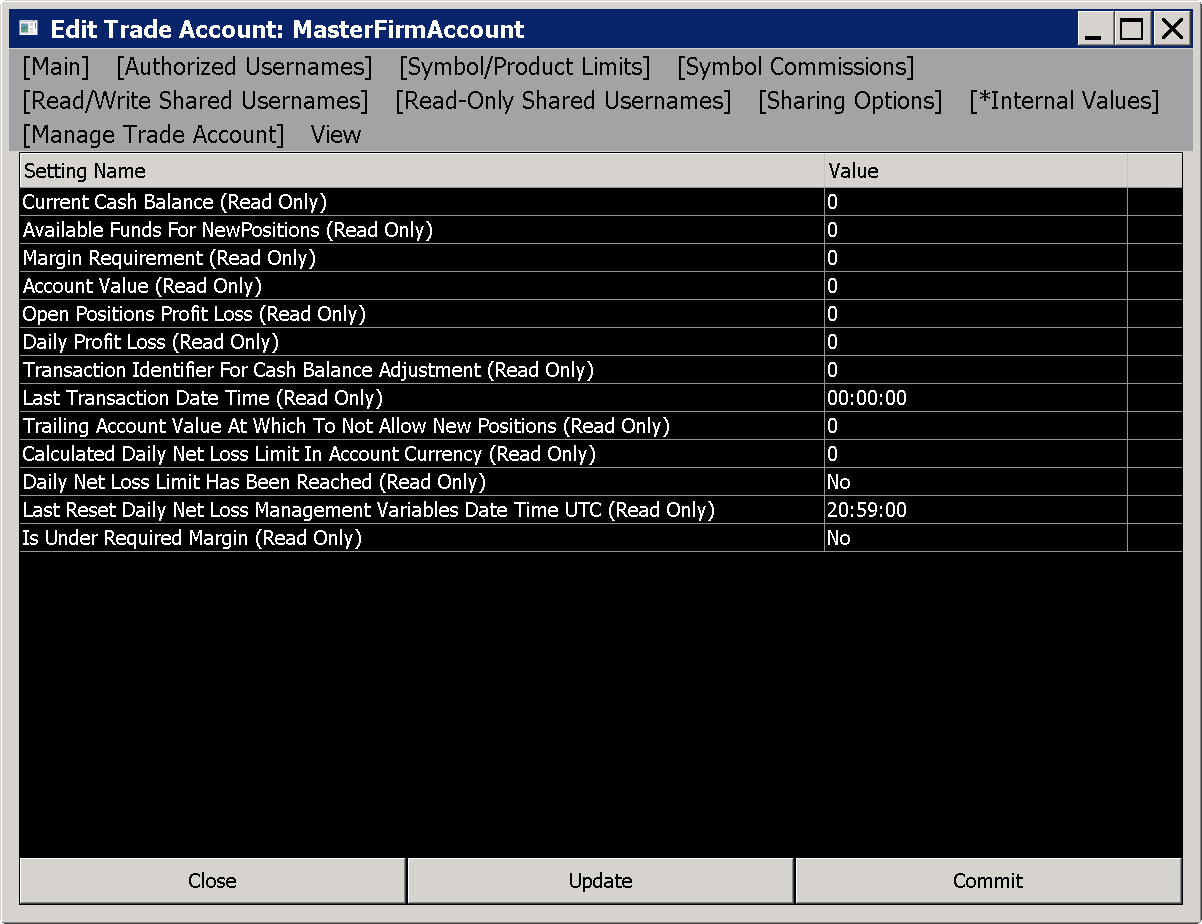
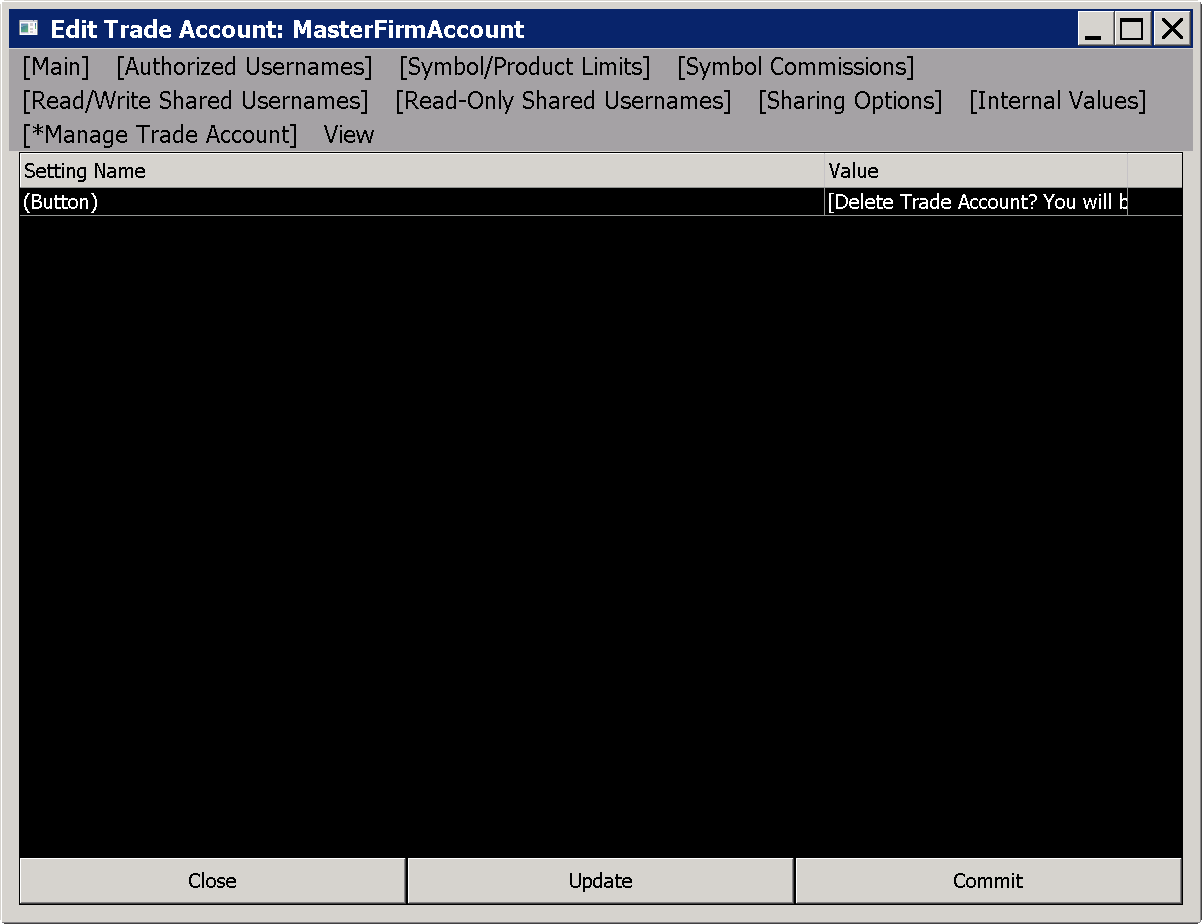
Screenshots of Trade Account Management Interfaces
Identified Risks with Order Routing and Security Features
- Loss of connectivity through either the Internet for users, or loss of connectivity to the exchange for order routing. All of this is managed, with dual redundancy for the Internet and quadruple redundancy for exchange connectivity. All of this has automatic failover. Additionally, if there is a loss of connectivity, that is unrecoverable for some unknown reason, the clearing firm trade desk can take orders by telephone in these rare cases.
- Pretrade risk failures. This would include margin and position limit check failures. There are numerous safety features provided which 100% mitigate these risks.
- Symbol mapping errors. For example, trading a micro contract but the large full-size contract gets submitted instead. At the point of symbol translation at the exchange layer where there is a conversion from a two digit year to a single digit year, there is no possibility for the product code to be converted to something different than what the user-specified.
- Continuous reprocessing of order or other trading related message: Nowhere in the Sierra Chart functionality is there any support for re-sending an order, or reprocessing of an order or other order related message. In the event, that there is an exception encountered during the processing of incoming data from a network connection from a trader which receives an order, the connection is immediately closed to avoid any possibility of reprocessing of the incoming data buffer.
The new direct order routing service, is the same as the existing Sierra Chart order routing service which uses TT (Trading Technologies in the background), except that trade accounts are created and managed directly within the service and not externally, pretrade risk checks are provided, and account balance tracking. There is also direct routing to the exchange rather than using TT, but essentially there is no difference because the FIX protocol is used in both cases. The additional functionality can be fully verified with the Sierra Chart server-based Trade Simulation service. And this Trade Simulation service is extensively used by our user base every day with that service. So there is nothing new or untested. The pretrade risk functionality is the same in Simulation as it is for Live.
Sierra Chart proposes a requirement, where the clearing firm needs to go through basic order routing test procedure and also verification of pretrade risk functionality and certify that everything works correctly under a particular build number. This build number is seen in the Sierra Chart Message Log.
This just simply is a statement, that everything is tested and functions correctly both and simulation and live. Sierra Chart will not update the order routing software, Sierra Chart itself configured for multiuser order routing, to a new build without permission of the clearing firm. Unless there is an emergency situation and it is expected they would be aware of that in this circumstance.
Costs
The Sierra Chart direct order routing service, has absolutely no cost to clearing firms or brokers. There is also no cost for support to clearing firms or brokers.
The trading end users pay for Sierra Chart at normal Sierra Chart prices. For pricing, refer to Service Package Pricing. All exchange fees for market data are directly paid for through Sierra Chart.
Currently there is a cost of .00 USD per contract per side for order fills. Therefore, this service is free for the end user as well. We do not believe in charging for order fills. There is no legitimate reason for this.
Technical Explanation
This section is a technical explanation of the Sierra Chart direct order routing service, now known as Teton Order Routing.
Teton Order Routing is a server-based service which works with the Sierra Chart desktop charting and trading program (the client). Sierra Chart is a Windows program that runs on a users desktop. It is a stable high-performance charting and trading program. Development started in 1996 and has steadily grown since then.
The Sierra Chart desktop program will be considered the client program in this technical description. For a feature list, refer to Features.
The Teton Order Routing service consists of multiple components. These components consist of software, hardware and communication components.
The software components consist of the order management, order routing, risk management, account tracking, logging and reporting, failover and redundancy, and API software. Collectively this will be called the Teton Order Routing software.
The software components are implemented as a single unified highly reliable Windows-based program which is Sierra Chart itself running in a server role on physical dedicated servers.
The hardware components consist of high-performance Dell dedicated servers using server grade components and ECC memory. These servers are hosted with Nirvana in the Aurora DC3 data centers. These servers utilize two power supplies and have true primary and redundant power from the data center. There are multiple primary and failover servers.
Each server has its own independent Internet connection. In the case of a failure of one connection, other Internet connections are automatically utilized. All of the servers are interconnected through the Nirvana network and can reach each other directly.
The Teton order routing software maintains two connections to the exchange over physically redundant connections. Additionally the exchange provides a primary and a backup server. Therefore, there is always a redundancy for physical connectivity and redundancy for exchange order routing provided by the exchange.
The Teton order routing software has built-in real-time mirroring functionality. There is a primary instance of Teton Order Routing software and one or two secondary instances. The secondary instances mirror the primary instance in real time.
In the case of when a failover is detected with the primary order routing server, one of the secondary instances will take over as the primary role. This happens automatically and the transition will complete within 5 minutes. An email will go out to the clearing firm and to Sierra Chart support if this transition from primary to secondary occurs.
Daily audit trail logs are maintained on the server for at least as long as legally required. These log files are also provided daily to the clearing firms.
Easy to Get Started With | Built-in Risk Management with Automatic Integration
Sierra Chart Teton order routing is a fully hosted solution. Computer hardware, network connectivity (both to the exchange and through the Internet), and software is fully provided by Sierra Chart. Only the exchange connection details are required (For example, CME iLink 3 session information are required from the FCM).
Trade account management and risk configuration is done through the Sierra Chart desktop program through stable and reliable interfaces. Details can be found on the Trade account and Risk Management page.
Features include automatic liquidation based upon a percent of account value. Reference: Enabling Auto Liquidation for Trade Account. This feature is completely reliable and stable. Therefore, there is not a need to be monitoring trade accounts that are under margin to manually liquidate them.
Requirement that exchange margin requirement is met before order is allowed to be sent to the exchange. This is highly configurable. For example, using a smaller percent (< 100%) of required margin. Reference: Use Percent of Required Margin.
Feature to close positions at end of day that are under margin. Reference: Flatten Positions when Under Margin at End of Day.
Integration with clearing firm end of day net liquidating value and position files for daily synchronization. References: Account Balances Import File, Account Positions Import File.
Therefore, based on all of the above, Sierra Chart Teton Order Routing is very easy to get started with and integrate with your back office.
There is no cost at all for the clearing firms to use this. And technical support is provided.
*Last modified Sunday, 27th September, 2026.